GRAPE MARS

Built at Universitat Jaume I for the GRAPE research group

Mark what happens in a video. Then count it.

GRAPE MARS is a video annotation and analysis platform for researchers who study how people talk and act together. You mark time ranges on tracks, transcribe the speech, and turn the marks into charts and exports.

Runs in the browser. Nothing to install.

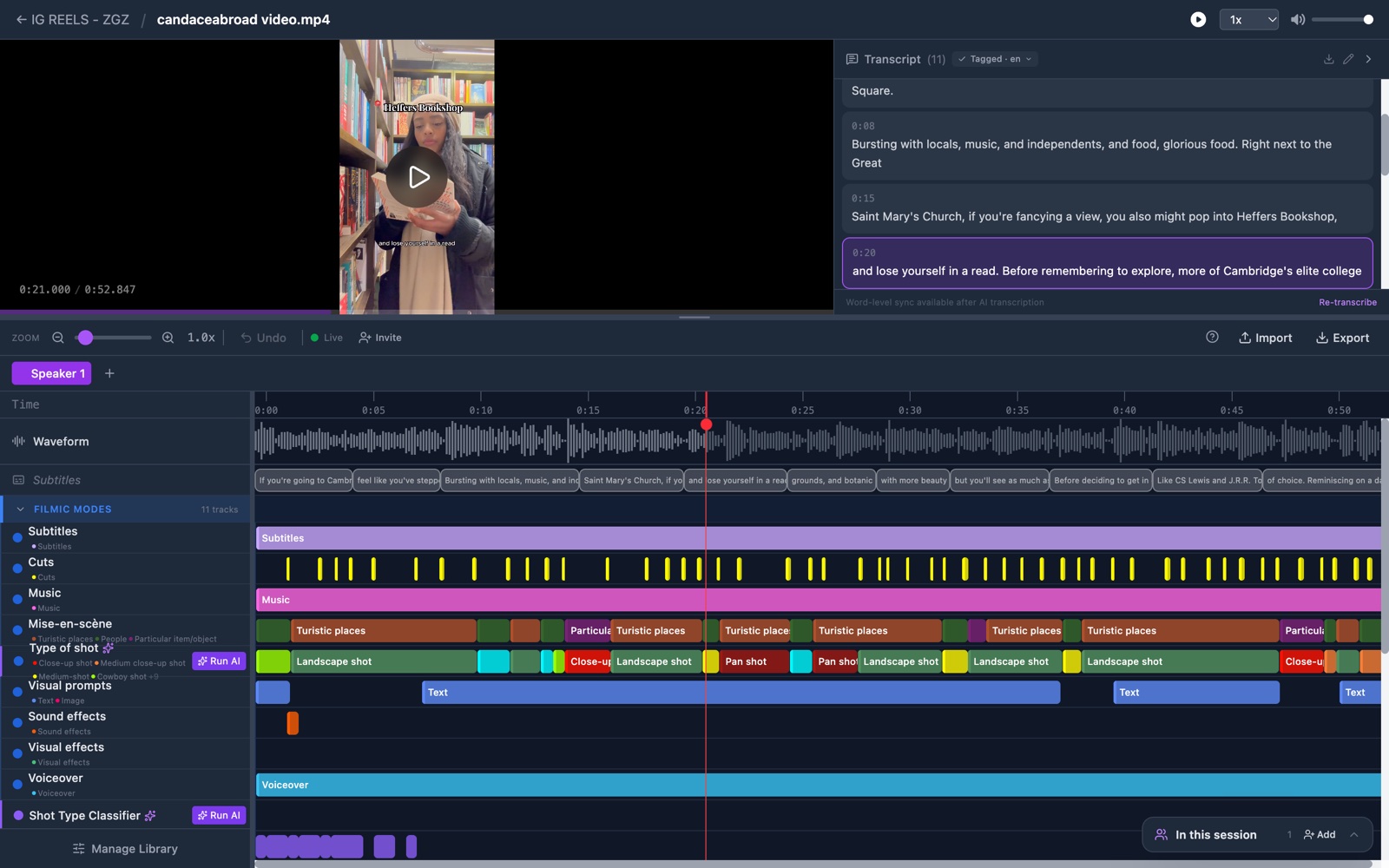
The GRAPE MARS annotator: a video player and transcript panel at the top, and below them a timeline with a waveform and colored annotation tracks.

What you can do

From a raw recording to a result you can cite

Annotate

Mark what happens, one track at a time

Each track holds one kind of annotation. Drag across the timeline to mark a time range, and the mark takes the color of its type.

Add speakers and code one person at a time. Count occurrences on some tracks and measure duration on others.
How annotation works
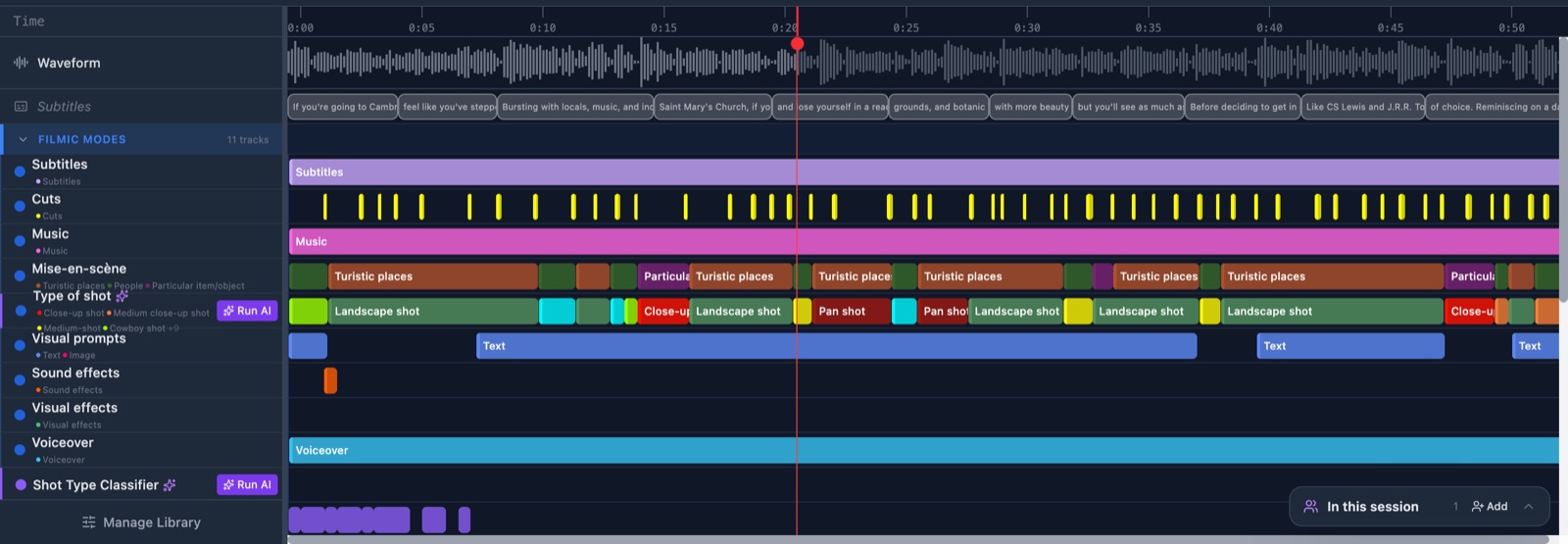
The annotator timeline: a waveform, a subtitle lane, and a stack of colored annotation tracks named Subtitles, Cuts, Music, Type of shot and Voiceover.

Transcribe and tag

Turn speech into text, with a time for every word

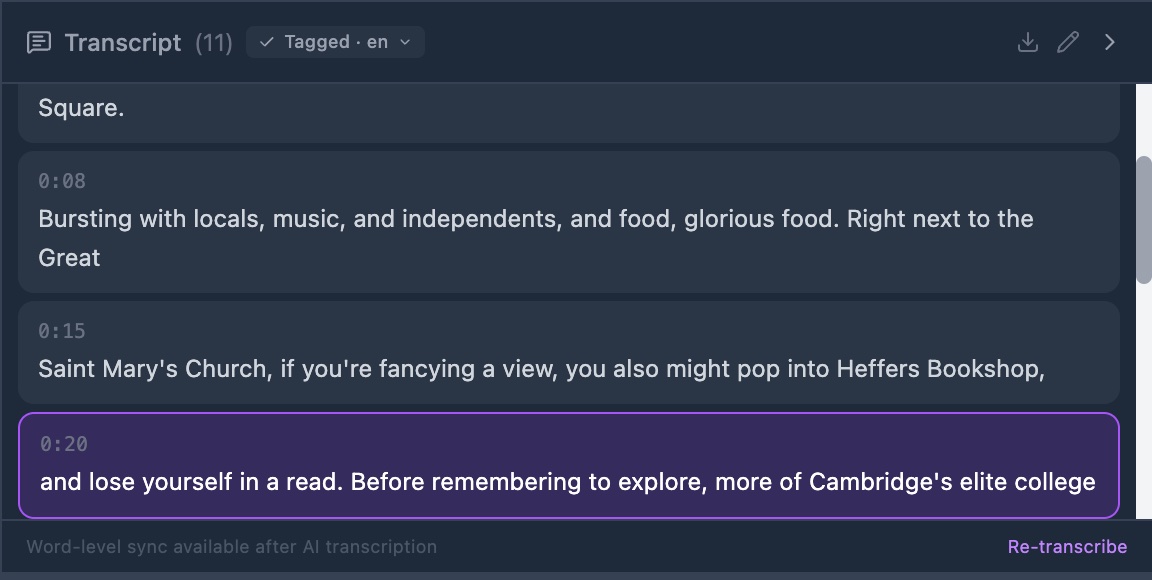
Transcription runs on the site and costs you nothing. Click a word and the video jumps to that moment.

State the language of a video and GRAPE MARS tags each word with its lemma and part of speech. It works in Spanish, Catalan and English.

How transcription works
The transcript panel: a list of timed segments, one highlighted in purple, with a Tagged badge in the header.

Analyze

Build the charts you need, then export them

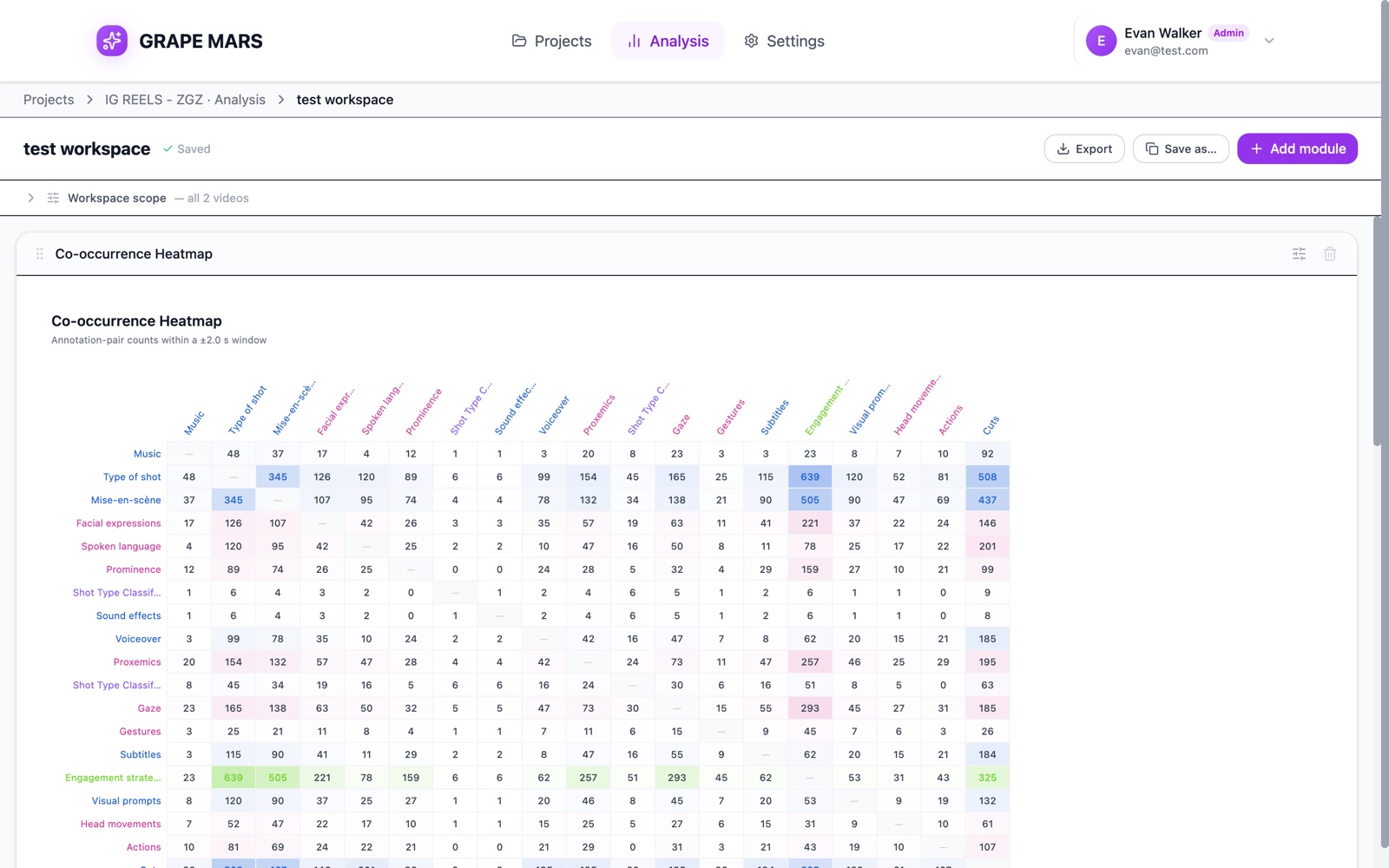
A workspace is your own page of modules: distributions, co-occurrence, concordance, inter-rater agreement and more.

Set the scope once and every chart follows. Export a workspace to Excel, or send your annotations to R or ELAN.

How analysis works
An analysis workspace showing a co-occurrence heatmap: a grid of annotation types with pair counts, the higher counts shaded.

Work together

Share a project, keep every mark attributed

Invite colleagues to a project and give each one a role. Each annotation records who made it, so two coders can work on the same video.

Then compare them with an agreement score before you divide the rest of the corpus.

How collaboration works
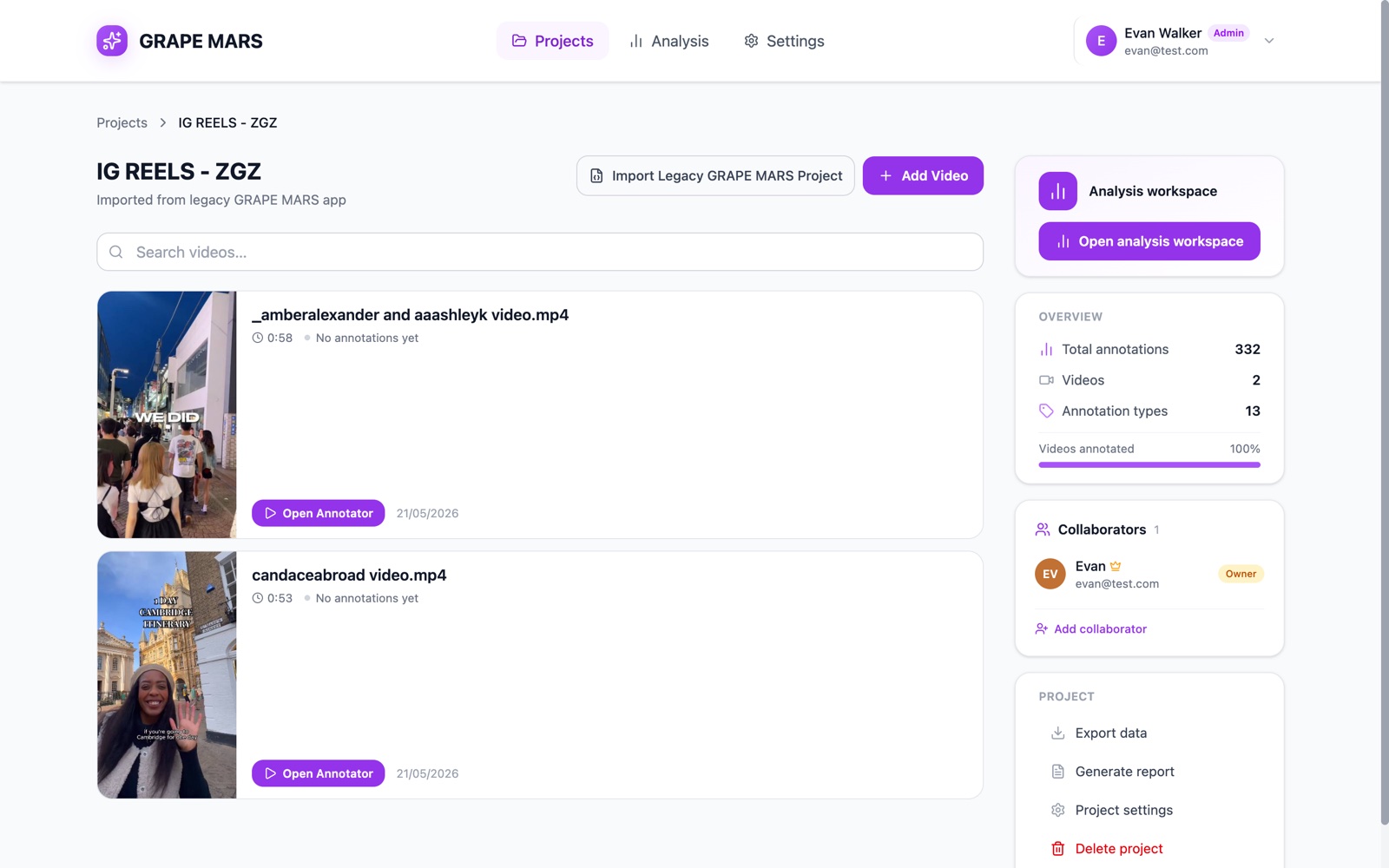
A project page: two video cards with thumbnails, an overview card with counts, a collaborators card and project actions such as Export data.

How it works

Four steps, in the order you will take them

The help center walks a new account to an exported result in twelve short pages. These are the four stops that matter most.

  1. Step 1: Create a project and upload a video

    A project is a folder for one study. Add the videos it covers and state the language they are in.

    Read the guide
  2. Step 2: Build your library and mark the video

    Decide which types you will code, put each on a track, then drag along the timeline to mark them.

    Read the guide
  3. Step 3: Transcribe, add speakers and tag

    Turn the speech into text, name who is talking, and let the tagger read the transcript word by word.

    Read the guide
  4. Step 4: Analyze in a workspace and export

    Add the modules you need, read the charts, and export to Excel, R, ELAN or a Word report.

    Read the guide

Help center

Guides, troubleshooting and a glossary, written in plain English

One task on each page. Every error message the app can show, with its meaning. Every word the interface uses, explained.

Made at a university, for research

A tool that grew out of the work it serves

GRAPE MARS is built at Universitat Jaume I for GRAPE, the Group for Research on Academic and Professional English. The group studies discourse and multimodal communication in academic and professional settings.

The group uses the tool in that research. It codes gesture, gaze and talk in recorded lessons, then counts and compares across a corpus. The tool replaces an earlier GRAPE MARS, and it imports projects from that version.

Other groups who work with video are welcome to try it, and to tell us what they need.