Features
What GRAPE MARS does today
Four areas, in the order you meet them: annotate, transcribe and tag, analyze, and work together. Each one ends with the guide that shows you the steps.
Annotate
Tracks, speakers, and a drag to mark
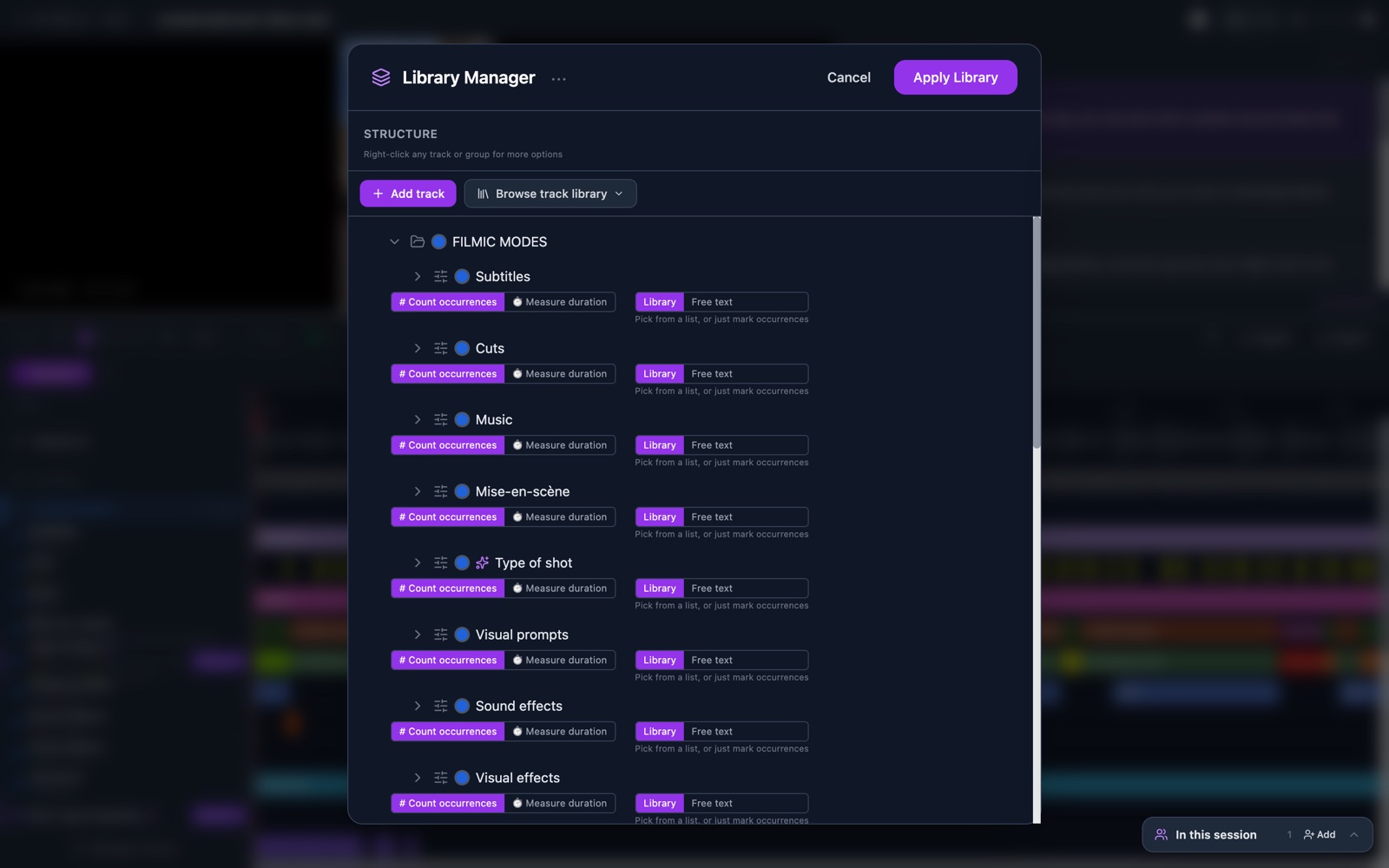
The annotator shows the video, the transcript and a timeline on one screen. Everything you mark lands on a track.
- Tracks
- A track is one row of the timeline and holds one kind of annotation. Group tracks into a library you can save and reuse.
- Types and sub-types
- Each type has a color. Sub-types refine it, and free-text tracks hold your own comments.
- Drag to mark
- One drag creates an annotation. Move it, resize it or delete it later. Undo is one click away.
- Count or measure
- Some tracks count occurrences. Others measure duration. The charts treat them differently.
- Speakers
- Add the people in the video and annotate one speaker at a time.
- Saves as you work
- Annotations and transcript edits save on their own. A green dot tells you the connection is live.
Transcribe and tag
Free transcription, word timing, linguistic tagging
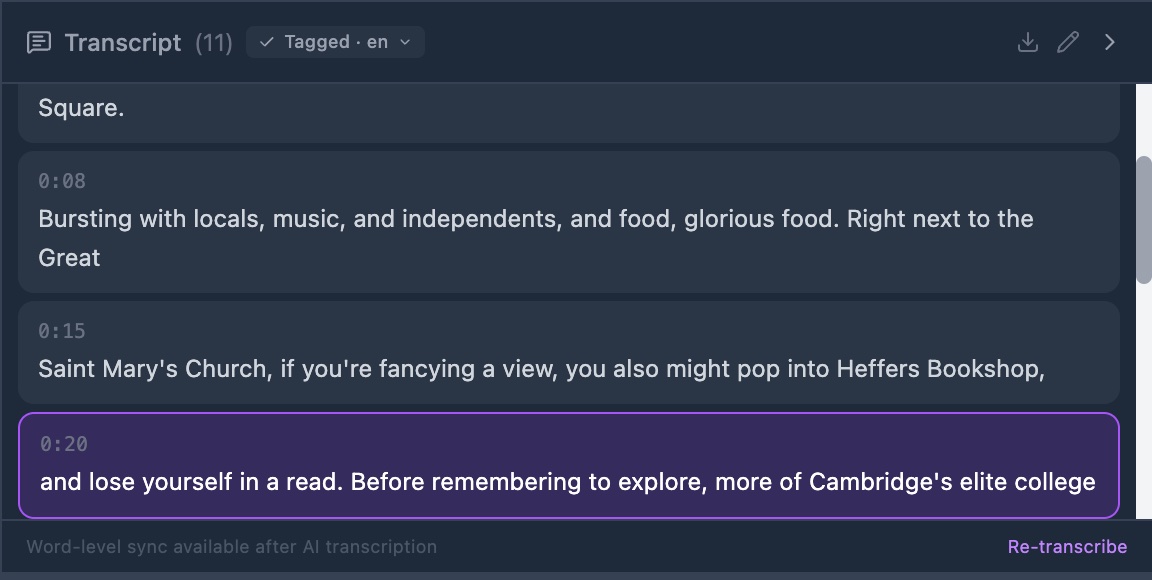
GRAPE MARS writes down what people say. It then reads the text word by word, so you can search it and chart it.
- No key, no cost
- Transcription runs on the site. You need no account with an AI company and you pay nothing.
- A time for every word
- Segments carry times, and so does each word. Click a word to jump to that moment in the video.
- Subtitles on the video
- Show the transcript as subtitles over the player, or as a lane on the timeline.
- Edit in place
- Fix a line where it is, or edit the whole transcript at once. Upload an SRT or TXT file instead if you have one.
- Tagging in three languages
- State the language and each word gets its lemma, part of speech and named-entity status. Spanish, Catalan and English are supported.
- Search in context
- The concordance module finds a word or a mark across videos and shows the moment it occurs.
Analyze
Workspaces built from modules
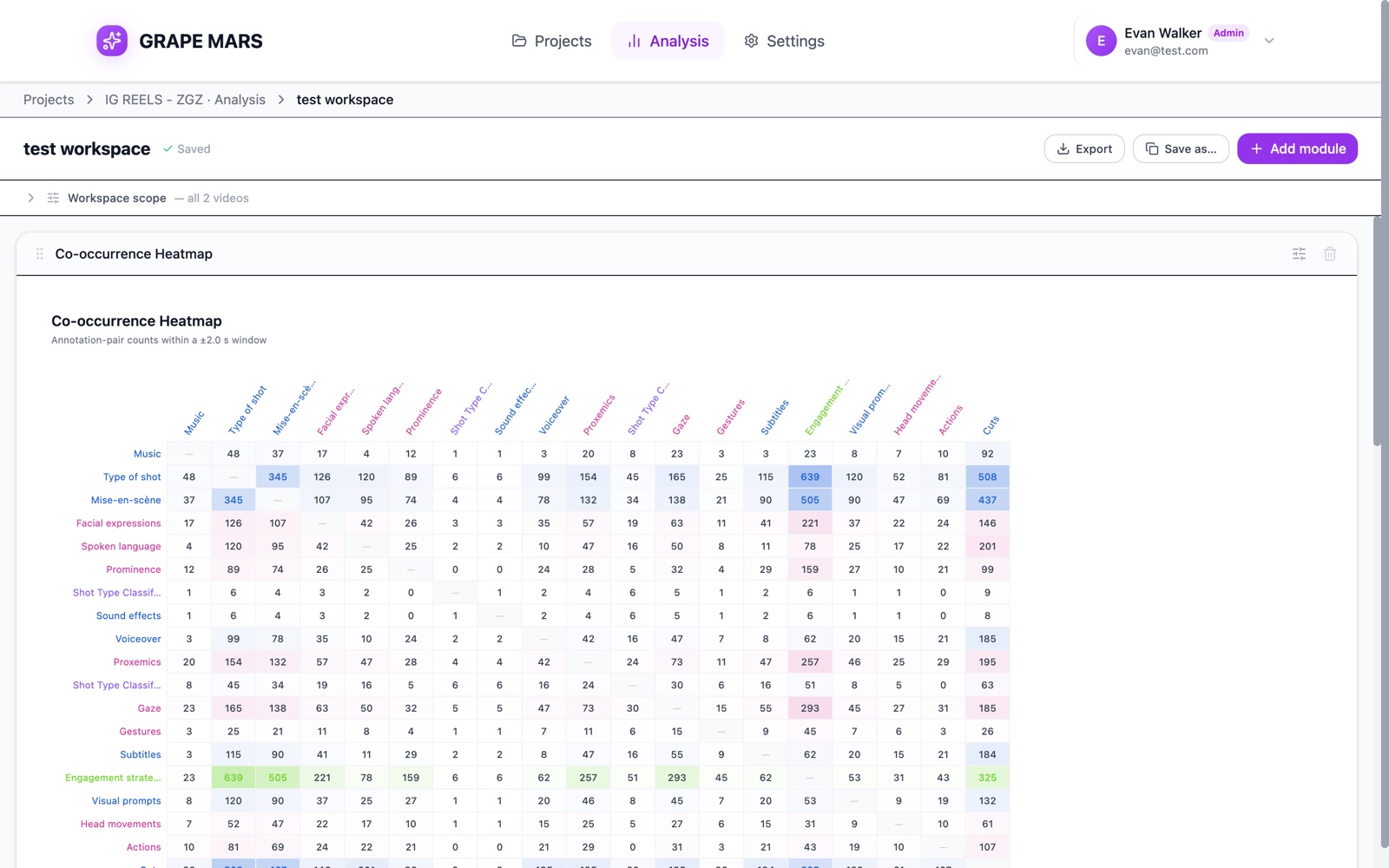
A workspace is a saved page of charts for one project. You add the modules you need and set what they look at.
- Eleven modules
- Category breakdown, annotation and duration distributions, timeline density, coverage, co-occurrence, mode combinations, cross-video comparison, inter-rater agreement, concordance and linguistic profile.
- One scope, or one per module
- Limit a workspace to certain videos, a time range, some tracks or one coder. Any module can carry its own scope.
- Agreement between coders
- Compare two coders on the same video and read a kappa score.
- Read the numbers
- Point at a chart to read its values. Every number on screen matches the export.
- Export
- Save a workspace to Excel with one sheet per module. Export annotations to CSV for R, to ELAN as .eaf, or build a Word report with charts.
- Comes back as you left it
- Workspaces save as you build them and reopen in the same state.
Work together
Shared projects with attributed marks
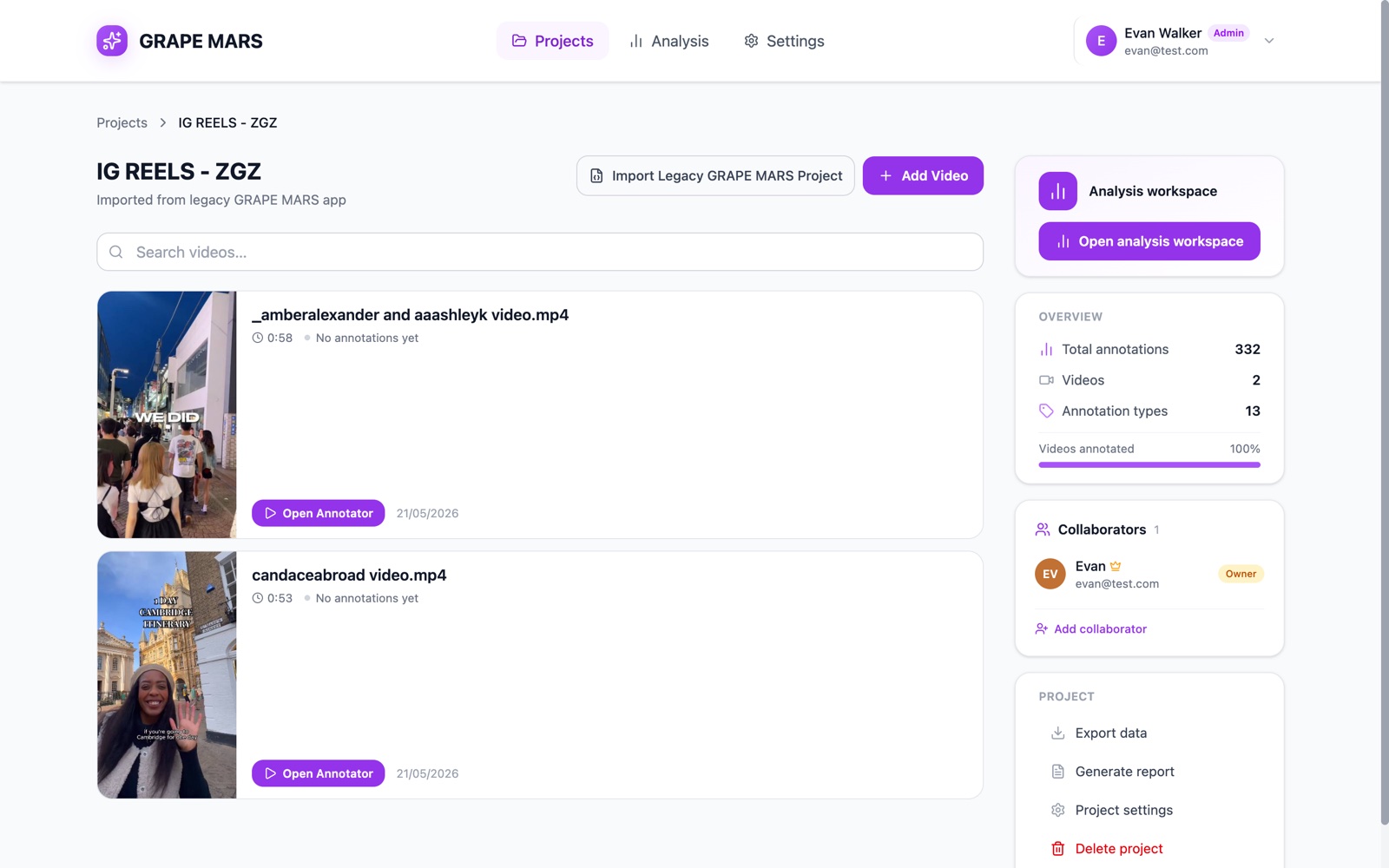
A project can belong to a team. Each person gets a role, and each mark keeps the name of the person who made it.
- Invite by email
- Add a colleague to a project from the project page.
- Roles
- Owners manage the project, editors annotate, viewers read. Change a role at any time.
- Every mark records its coder
- GRAPE MARS notes the signed-in user behind each annotation, and whether it came from a person or an import.
- See who is in the video
- When a colleague opens the same video, you can see them there, and changes sync live.
- Import from ELAN or the old GRAPE
- Bring in a project from the earlier version, or an ELAN file, with its tracks and annotations.
Coming
AI suggestions for annotation
GRAPE MARS does not write annotations for you yet. Two AI tracks, shot type and gesture, are announced and carry a Coming soon badge.
The review tools are already in place: a suggestion appears as a dashed bar, and you accept or reject it. You can also connect your own Mistral or Google Gemini key in Settings, ready for when a model goes live.
AI features available todayReady to try it?
Create an account, make a project, and upload your first video.